LiDAR Obstacle Reactive Avoidance — ROS
RB2301 CA1 · software
The task
This was an assignment from RB2301. The task was to get an omnidirectional robot from one end of a field scattered with obstacles to the end zone, without leaving the boundaries. Its mecanum wheels let it drive forward and slide sideways without turning, and its only sense of the world is a LiDAR scan.
The project had two parts. We wrote the controller in ROS 2 and got it working in Gazebo simulation first, then ran it for real on the mecanum robot.
My first attempt
I wanted the robot to be fast and smooth: spot obstacles early and curve around them gradually, instead of stopping and sidestepping.
I also wanted to stop it from drifting out of bounds. My first idea was to track how far it had moved sideways from where it started and set a limit on that. But mecanum wheels slip a lot, which makes them terrible at estimating how far they’ve travelled, and the limit only works if that number is accurate. So that idea was out.
After testing and talking it through, two problems stood out:
- Stuck flip-flopping. The robot reacted to every new scan from scratch, with no memory of what it decided a moment ago, so it could get stuck switching left, right, left, right.
- Trapped while curving. It would see can A ahead and curve forward-left to avoid it, only to run into can B on the left and get stuck between the two. More tuning might have helped, but with random layouts the behaviour was hard to predict.
The final controller
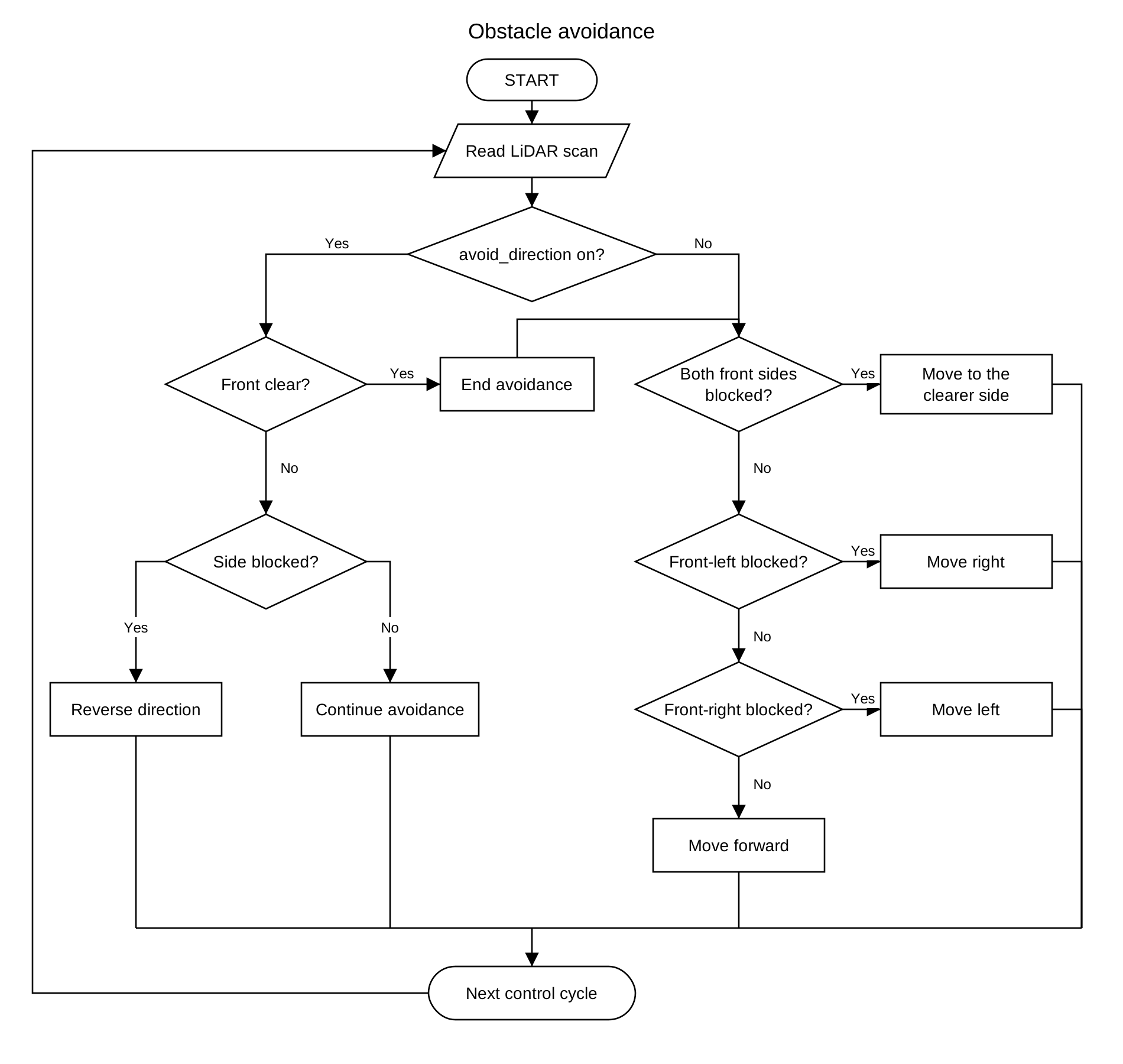
The fix for both was giving the robot a memory. Our final code remembers whether it’s currently dodging left or right, and sticks with that choice instead of rethinking it on every cycle.
First, it simplifies the scan. It keeps every 20th LiDAR reading (one every 10°) and groups them by direction:
- front: straight ahead (0°)
- front-left: about 10° to 40°
- front-right: about −40° to −10°
- left side: about 80° to 120°
- right side: about −120° to −80°
Then it’s always in one of three modes: normal, dodging left, or dodging right.
- Normal: drive forward. If something in front-left or front-right is closer than 0.4 m, start dodging toward whichever side has more room (right if it’s a tie).
- Dodging: keep sliding the same way until the front, front-left and front-right are all clear past 0.4 m, then go back to normal. If the side it’s sliding toward gets closer than 0.3 m, flip direction.
It moves forward at 0.4 m/s and sideways at 0.35 m/s, and never rotates. Separating forward and sideways movement like this made it much more predictable.
How well it worked
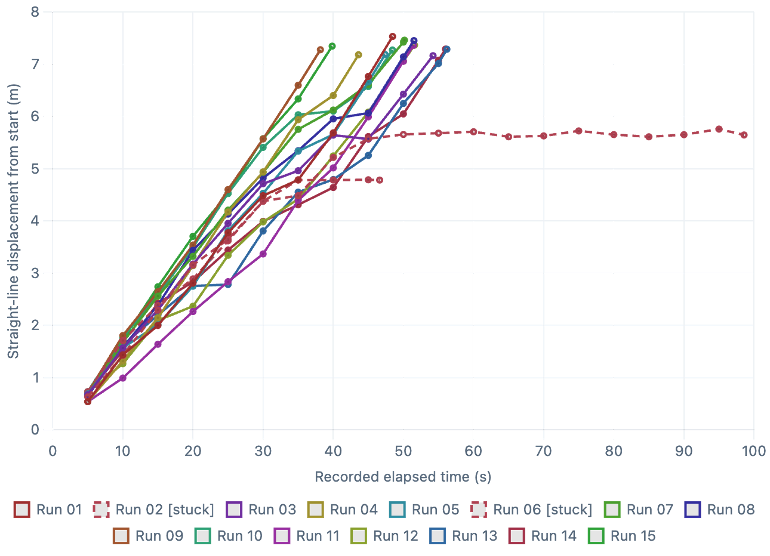
I ran 15 trials in simulation, each with a fresh random layout, and stopped each one when the robot crossed the finish. To get numbers out of them, I added code to log metrics like path length, sideways travel and direction switches, and fixed the Gazebo setup so it actually published odometry. That took some back-and-forth :P
| Result | Runs |
|---|---|
| Reached the end zone, in bounds | 11 |
| Reached the end zone, but went out of bounds | 2 |
| Got stuck | 2 |
That’s a success rate of 11 / 15 = 73%.
Where it failed
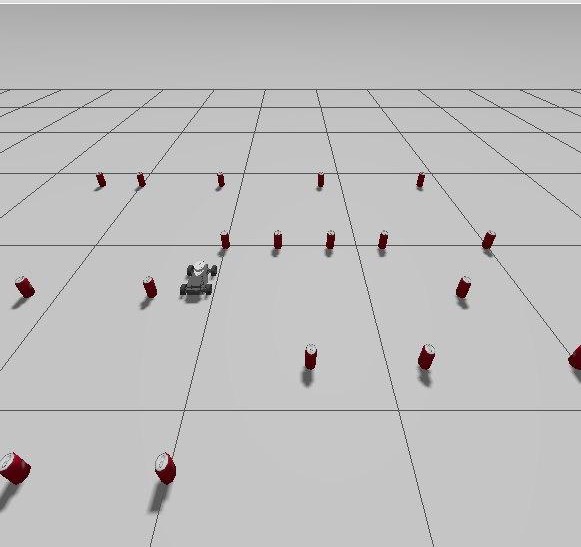
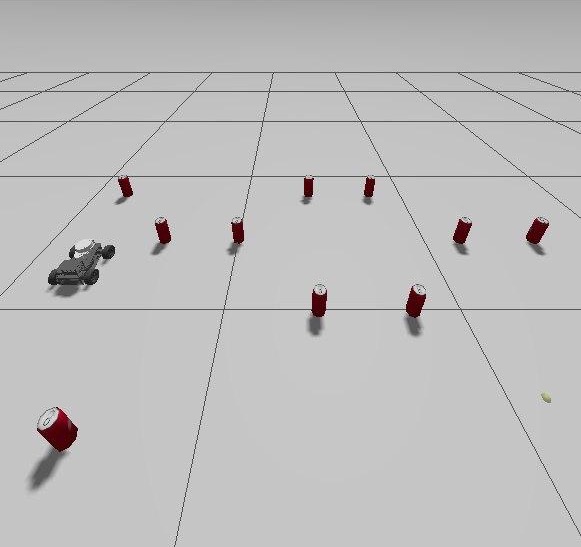
Both stuck runs had cans arranged in a U-shaped dead end. The robot kept sliding left and right and never found a way out. That’s an expected limit of a purely reactive controller: it only sees what’s right in front of it. Smaller clearance thresholds might have let it squeeze through a gap, but on a real robot you want that safety margin.
Both out-of-bounds runs still made it to the end zone. In each, the cans formed what I call “the staircase of doom”: a diagonal line that kept pushing the robot sideways in the same direction until it crossed the boundary. Fixing that needs an algorithm that looks at the wider layout and picks a different route earlier.
What the numbers said
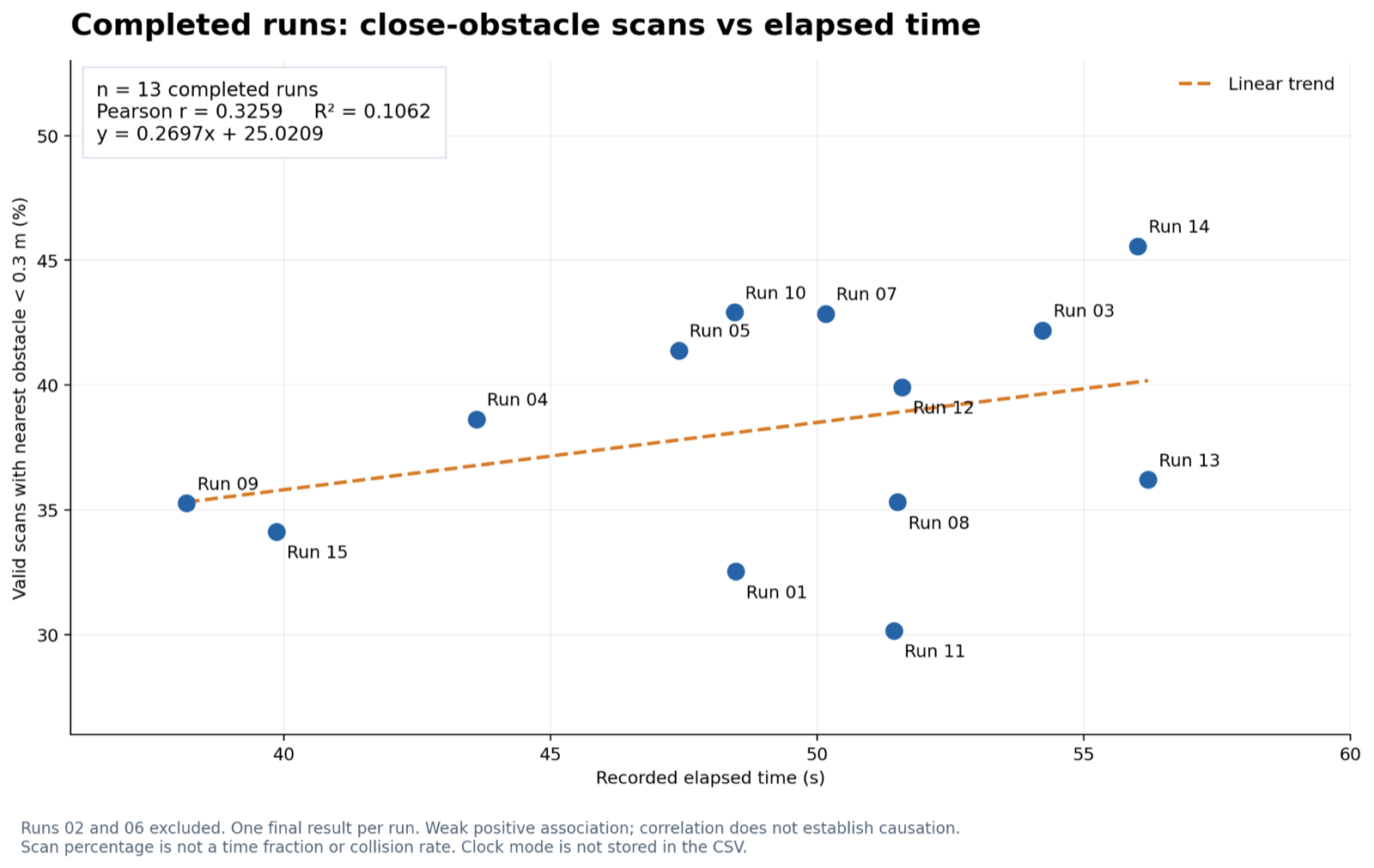
Do more obstacles mean slower runs? I compared each completed run’s time with how often the LiDAR saw something closer than 0.3 m. The relationship was positive but weaker than I expected (Pearson’s r = 0.33). The number of direction switches was a much better predictor of time (r = 0.71), which makes sense. The obstacle layout drives both, though, so neither proves cause and effect.
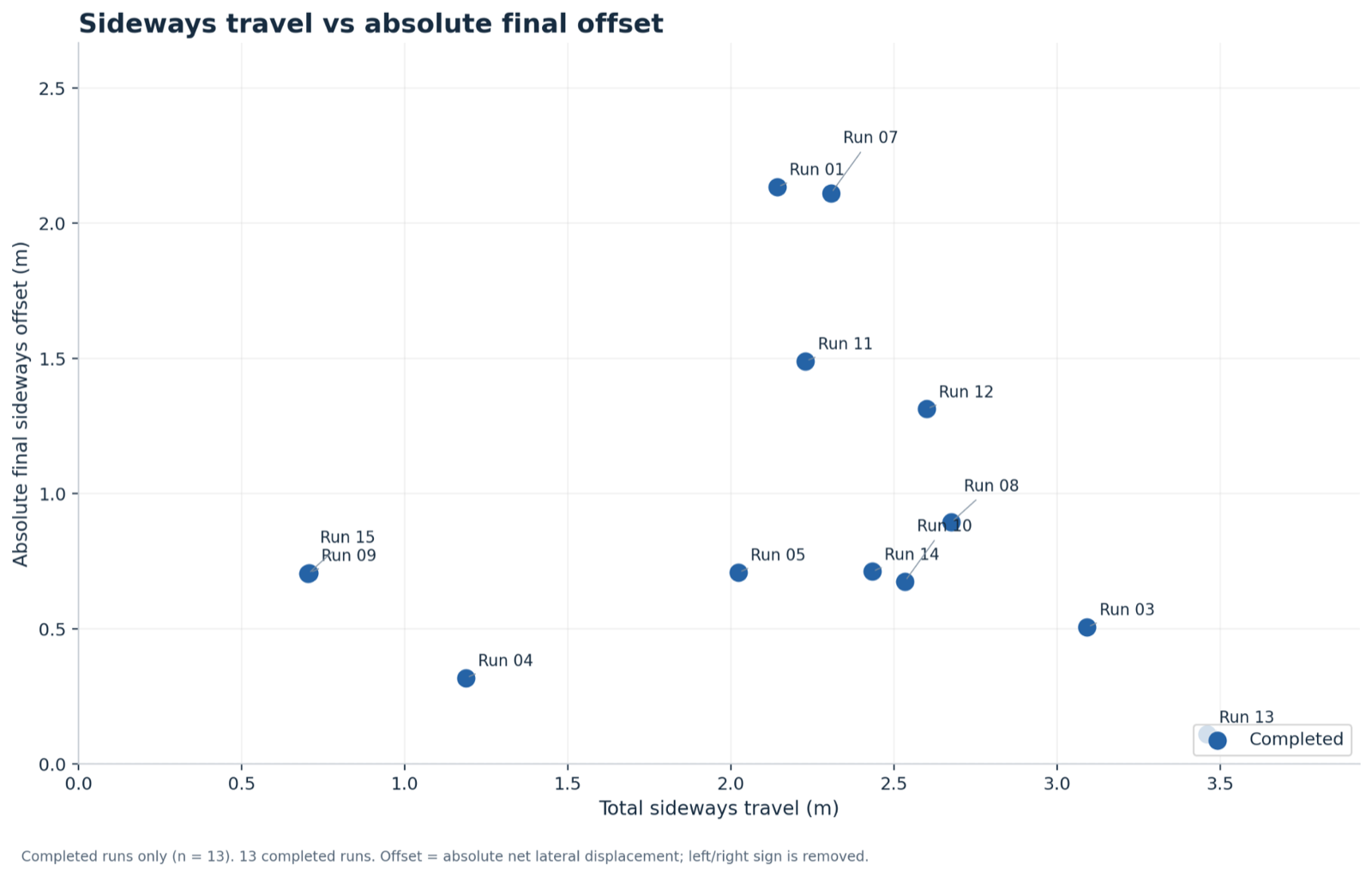
Does more sideways travel mean more drift? Surprisingly, no. Across the 13 completed runs, total sideways travel had basically zero correlation with how far off-centre the robot finished (r = 0.0007). It could slide a long way left and right and still end up near its starting line, because the moves cancelled out. So the controller kept drift in check without needing the odometry-based limit I’d first wanted.
What’s still missing
Random layouts were good for comparing runs, but they didn’t expose every weakness. Setting up deliberately tricky arrangements, like pairs of cans or wall-like rows, was what really showed the switching and clearance problems. A couple of known gaps remain in our code:
- In normal mode it checks front-left and front-right but not straight ahead, so an obstacle seen only by the 0° reading might not trigger a dodge.
- When it picks a direction or flips, it doesn’t check that the side it’s moving toward is clear first.
What I took away
Smooth movement doesn’t always mean good decisions. My first version looked nice but could dither forever without getting anywhere. Remembering a direction and keeping forward and sideways movement separate made the robot far more predictable. Next, I’d like to bring the smooth curving back while keeping that memory and a proper clearance check, and test it on both random and deliberately nasty layouts.