A* Path Planning & PID control — ROS
RB2301 CA2 · software
The task
This was an assignment from RB2301. The task was to drive a robot through a maze to a series of goal cells, one after another, using a grid map of the maze. The robot has to work out its own route to each goal and then actually follow it without clipping any walls.
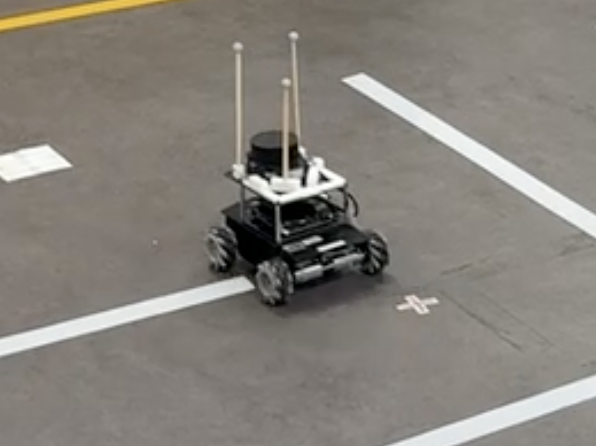
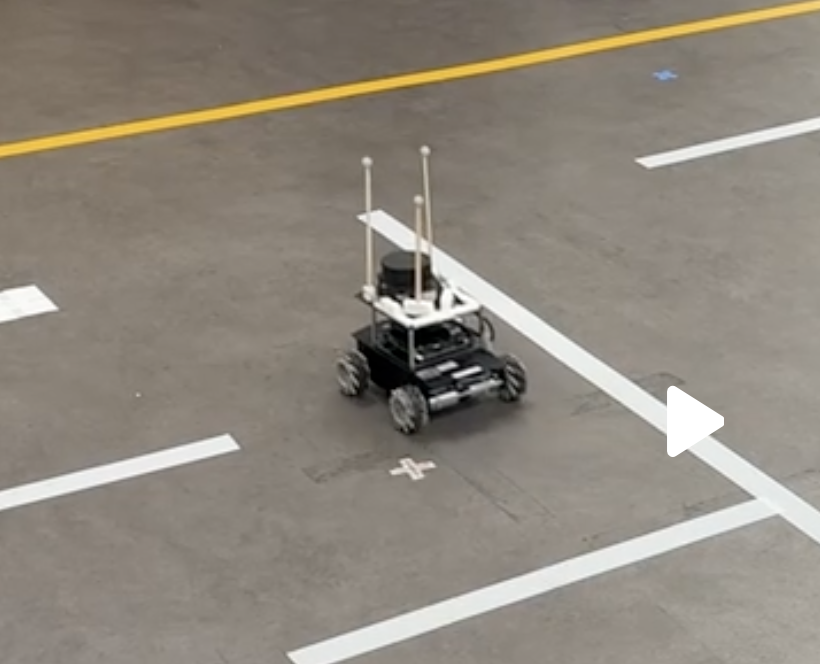
It had two parts. We wrote everything as a ROS 2 node and developed and debugged it in Gazebo simulation first, at up to 1.4 m/s. Then we ran it on the real robot at 0.4 m/s, with an OptiTrack motion-capture system telling it where it was.
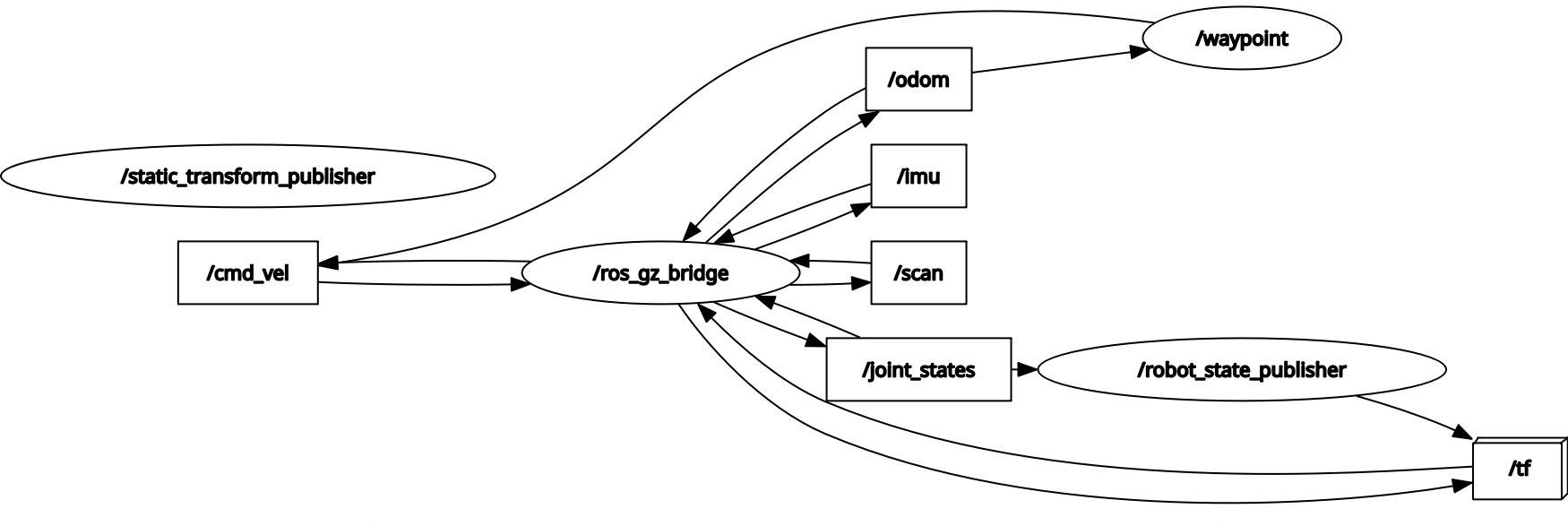
How it fits together
The whole thing is one loop:
- Get the robot’s position (from OptiTrack on the real robot, or odometry in Gazebo).
- Work out which grid cell it’s in.
- Plan a path to the goal cell with A*.
- Keep only the corners of that path as waypoints.
- Drive from waypoint to waypoint with a three-state controller.
When a goal is reached, it becomes the starting point for the next one, and the loop plans again. To keep track, the robot remembers three things: which goal it’s on, whether that goal has been planned yet, and which phase of motion it’s in.
Planning the route with A*
A* searches the grid cell by cell, moving only up, down, left and right. We didn’t need diagonals, and planning was already fast. Its guess for the distance left is the Manhattan distance (how many cells across plus how many cells down), and every step costs at least 1, so it always finds a shortest path.
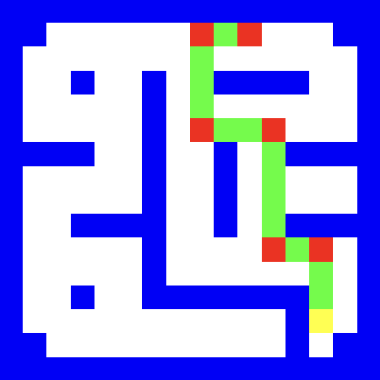
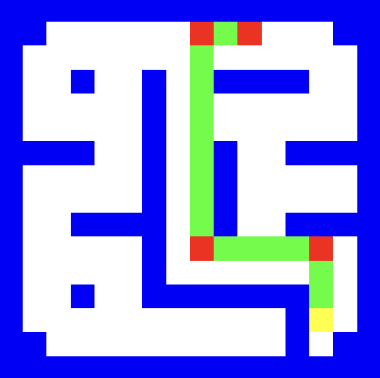
The problem is that a maze has lots of paths with the same length. A* just picks one, and sometimes that’s a zig-zag. That’s terrible for our robot, because every turn means stopping and rotating on the spot.
So we added two small costs to every move:
- Turn penalty (0.2): added whenever the path changes direction, so A* prefers routes with fewer turns.
- Wall penalty (0.1): added for cells right next to a wall, so it prefers to stay away from walls. That leaves a margin for error on the real robot.
For the turn penalty to work, A* has to know which direction it arrived from, so we made each search state “cell + incoming direction” instead of just “cell”. The rest is standard A*: states wait in a priority queue ordered by cost so far plus estimated cost left, the cheapest one gets expanded next, and once the goal comes out, the path is rebuilt by walking backwards to the start.
Only stopping at corners
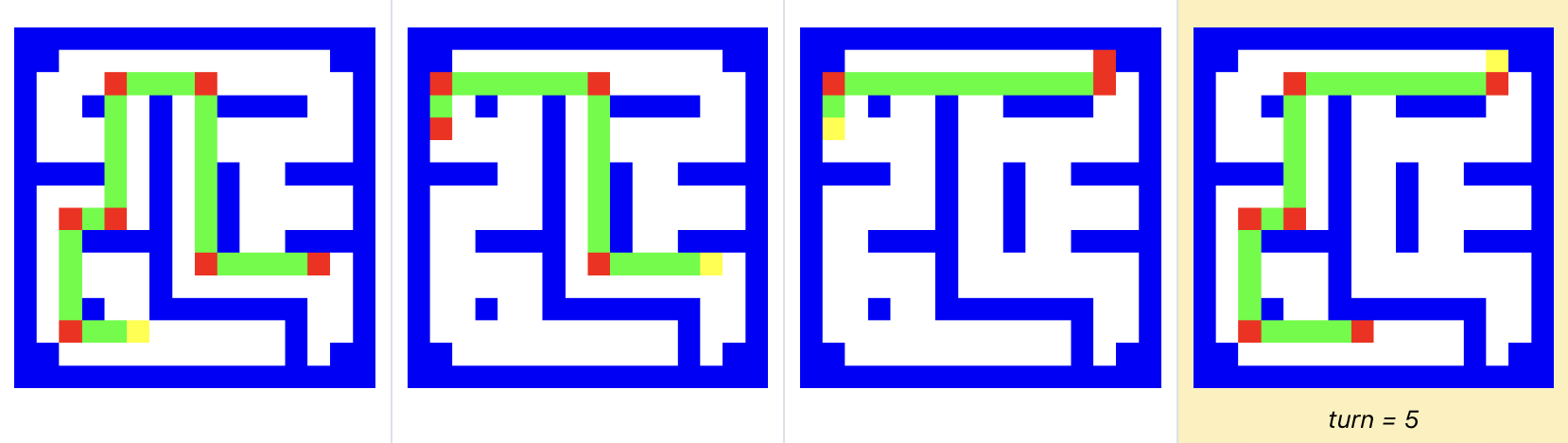
A* returns every cell on the path, but the robot doesn’t need to stop at each one. We only keep a waypoint where the direction changes, so the robot gets a short list: the start, each corner, and the goal.
Following the waypoints
To drive to a waypoint, the robot works out how far away it is and which way it needs to face. It always turns the shorter way round. Then it’s in one of three states:
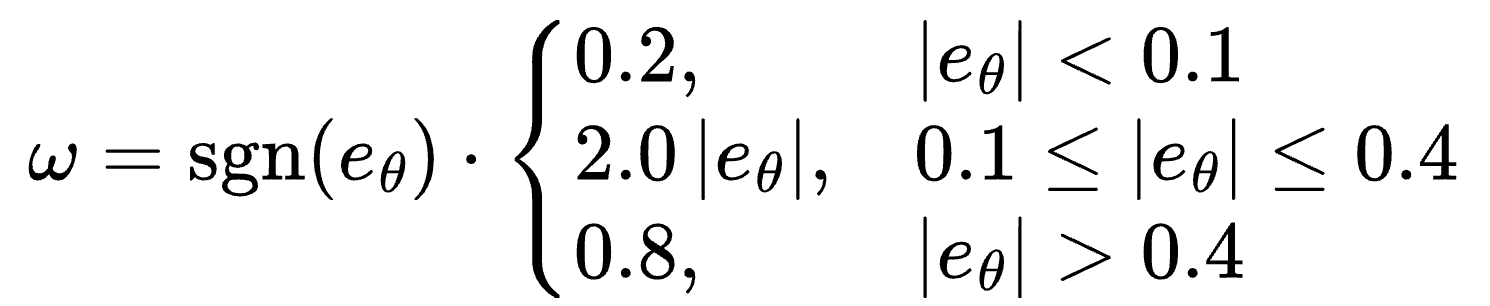
- Turning. It rotates on the spot, faster when it’s further off. Once it’s within 3° of the right heading, it switches to driving.
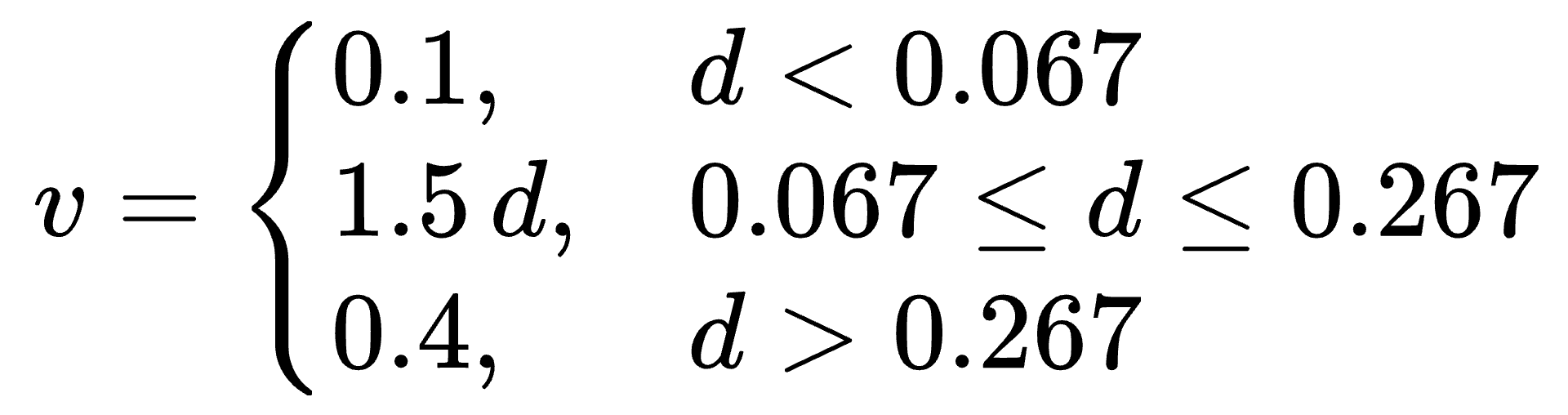
- Driving. It drives forward, slowing down as it gets close (between 0.4 and 0.1 m/s). If its heading drifts more than 3°, it adds a gentle steering correction.
- Offset. Since forward speed only depends on distance (P control), the robot would never quite arrive. So once it’s within 0.1 m, we count the waypoint as reached and switch to offset: drive straight at 0.1 m/s for another 0.16 m. That number came from testing, and it lands the robot in the centre of the cell.
Then it either moves on to the next waypoint and starts turning again, or, if that was the last one, marks the goal as reached.
Tuning
The robot printed its state, distance, heading error and commanded speeds the whole time, and we used those logs to tune everything:
| Parameter | Value | What it does |
|---|---|---|
| Turn penalty | 0.2 | Prefer routes with fewer turns |
| Wall penalty | 0.1 | Prefer cells away from walls |
| Heading tolerance | 3° | When to stop turning and start driving; when to correct while driving |
| Turning gain | 2.0 (0.2–0.8 rad/s) | Turning on the spot |
| Forward gain | 1.5 (0.1–0.4 m/s) | Forward speed while driving |
| Steering gain | 1.5 (0.2–0.4 rad/s) | Corrections while driving |
| Waypoint tolerance | 0.1 m | How close counts as reached |
| Offset distance | 0.16 m | Extra distance driven to reach the cell centre |
We also added a preview mode that plans and draws every route without moving the robot, so we could check the routes before testing.
One wall that didn’t match the map
During the final runs, the robot kept clipping the corner of one wall. That wall in the real maze turned out to be closer to our path than the map said. The fix was small: we marked one extra cell next to that wall as blocked. A* then chose a route further from the corner, and the robot cleared it on every run after that.
On a bigger map, the more general fix would be to “inflate” every wall by half the robot’s width before planning, so the planner never routes the robot’s body close to a wall in the first place.
What’s still missing
- The offset step is a workaround. The last 0.16 m before each turn is driven slowly with no feedback, and it took a lot of tuning to get right. Adding the I and D terms (full PID) would fix the steady-state gap properly and ease off before overshooting.
- Stopping at every corner is slow. Turning on the spot is reliable, but every corner costs a full stop. A path-following controller like pure pursuit, which steers toward a point further along the path, could take corners smoothly. Or we could plan a speed profile that slows down for turns and speeds up on straights.
What I took away
This project taught me to break a big problem into small pieces and get each one working on its own before putting them together. I was surprised how much tiny changes mattered: a few centimetres of offset distance, or one extra cell of wall on the map.
I also learnt that a simple approach you understand well can beat a complicated one. Our stop-turn-drive controller is basic, but because we understood exactly how it behaved, we could tune it until it ran reliably.
And as projects get bigger, I need a proper planning system so goals stay visible and nothing gets forgotten along the way.