Robot Arm Kinematics — Niryo Ned
RB2202 · software
The task
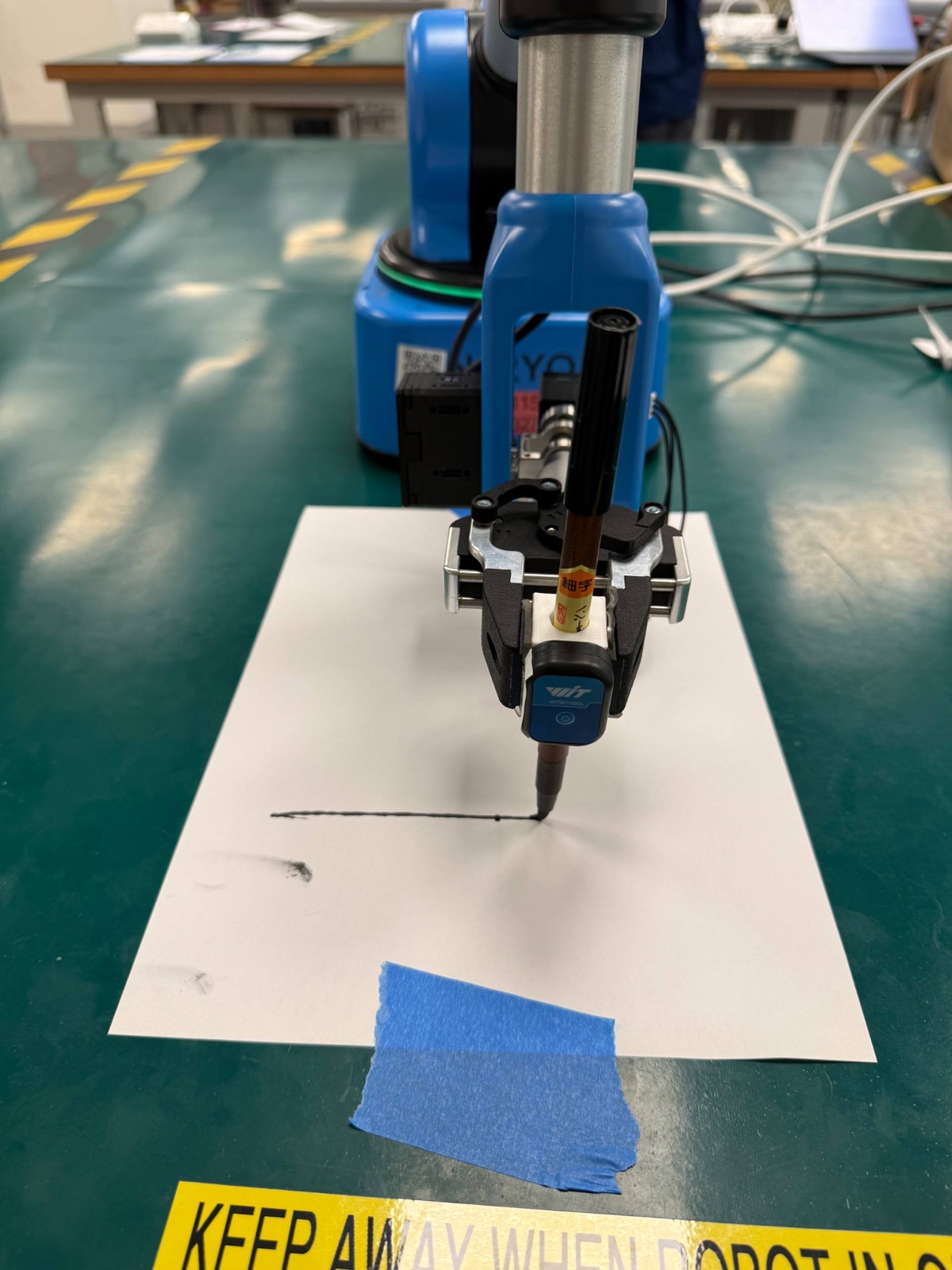
This project combines two labs from RB2202, both on a Niryo Ned, a small 6-axis robot arm. In the first, we worked out where the arm’s tool tip should be from its joint angles, and checked our maths against the robot’s own readout. In the second, we gave the arm a marker and had it draw lines and circles to see how well it really follows a path.
Part 1: where is the tool tip?
Setting up the frames
To describe the arm mathematically, you attach a coordinate frame to every joint, from frame {0} at the base to frame {6} at the wrist. Then each step from one frame to the next can be described with just four numbers, the Denavit–Hartenberg (DH) parameters: link length (a), twist (α), offset (d) and joint angle (θ).
We sketched the frames onto the arm’s engineering drawing and read the link dimensions off it.
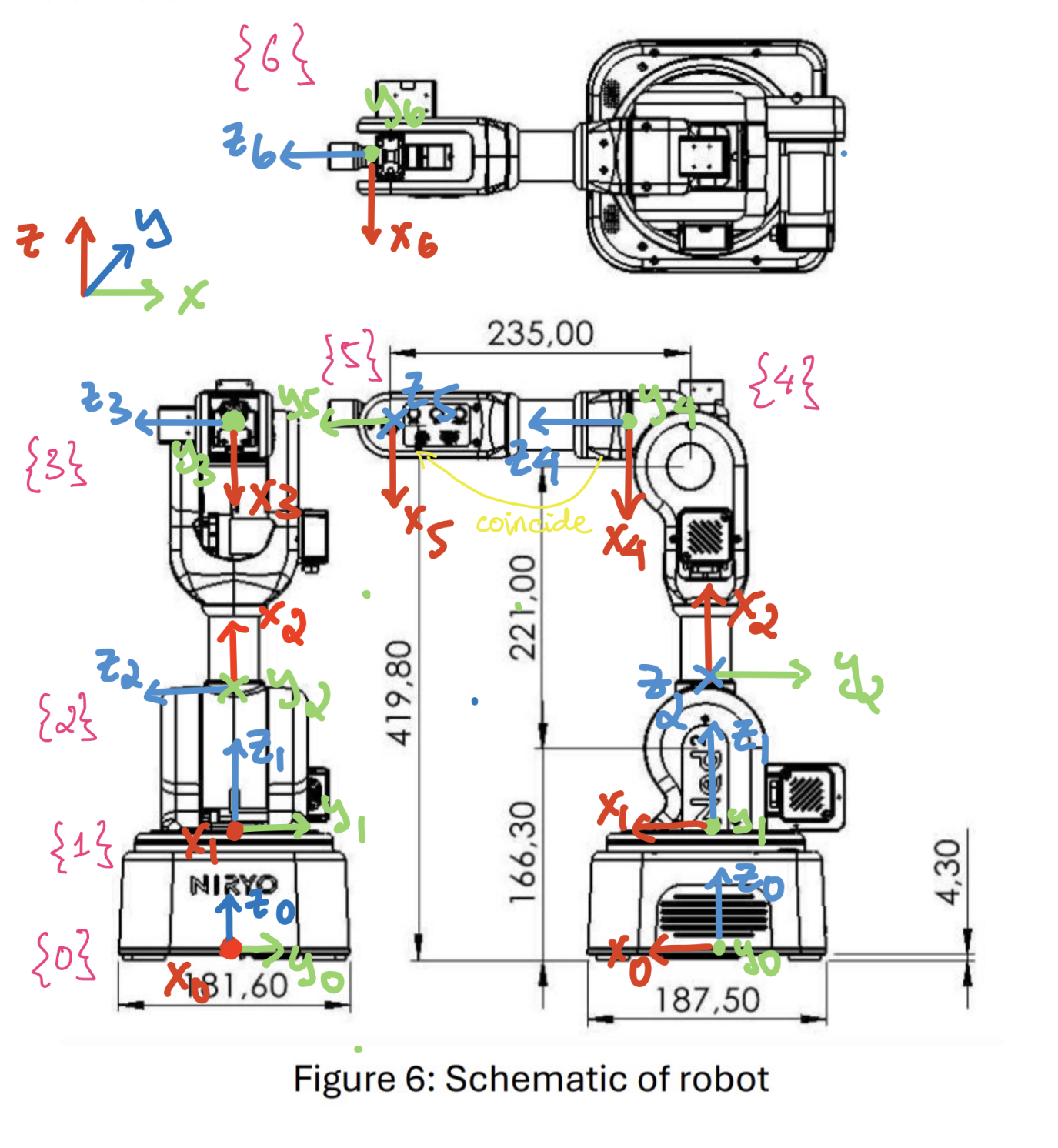
| Joint | ai−1 (mm) | αi−1 (°) | di (mm) | θi offset (°) |
|---|---|---|---|---|
| 1 | 0 | 0 | 166.3 | 0 |
| 2 | 0 | 90 | 0 | 90 |
| 3 | 221.0 | 0 | 0 | −180 |
| 4 | −32.5 | −90 | 235.0 | 0 |
| 5 | 0 | 90 | 0 | 0 |
| 6 | 0 | −90 | 0 | 0 |
Each row turns into a 4×4 transformation matrix, and multiplying all six together gives the pose of the wrist relative to the base. That’s forward kinematics. Add the tool offset (we measured about 135 mm from the wrist to the gripper tip by hand), and you get where the tool tip, or TCP, should be.
Checking against the real arm
We tested three poses: all joints at zero, and two with the joints set to specific angles. For each one, we compared our calculated TCP with what the Niryo software reported.
| Pose | Joint angles (°) | Calculated (mm) | Niryo (mm) | Error |
|---|---|---|---|---|
| All zero | 0, 0, 0, 0, 0, 0 | (370.0, 0, 419.8) | (380.4, −0.3, 428.3) | 13.5 mm (2.4%) |
| Case 1 | 0, 25, −25, 0, 0, 0 | (276.6, 0, 399.1) | (286.2, −0.2, 412.5) | 16.5 mm (3.3%) |
| Case 2 | 0, 25, −25, 60, 30, 30 | (258.5, −58.5, 432.8) | (263.6, −65.0, 441.1) | 11.7 mm (2.3%) |
Within about 3% every time, which is good, but the interesting part is the pattern. The errors aren’t random: we underestimated X and Z in all three poses. That points to some of our link lengths being slightly too short. The drawing measures dimensions to the outside faces of the housing, not to the actual joint axes. When we re-fitted just the base height and the tool offset (to 175.6 mm and 144.0 mm), the errors dropped to 1.6–5.0 mm with the same frames.
Other things that likely contributed:
- Our tool offset was a hand measurement. The software may define the tool tip at a slightly different point on the gripper.
- We assumed perfect geometry. The model treats the last three joint axes as meeting at exactly one point and joints 2 and 3 as exactly parallel. Real parts have small manufacturing offsets.
- The joints don’t land exactly where they’re told. The software reports the achieved angles, and they differ slightly from the commanded ones.
Part 2: making it draw
For the second lab, three of us strapped a marker to the arm and programmed it to draw on paper. A drawing is a nice test, because any wobble or error in the arm’s motion shows up right there on the page.
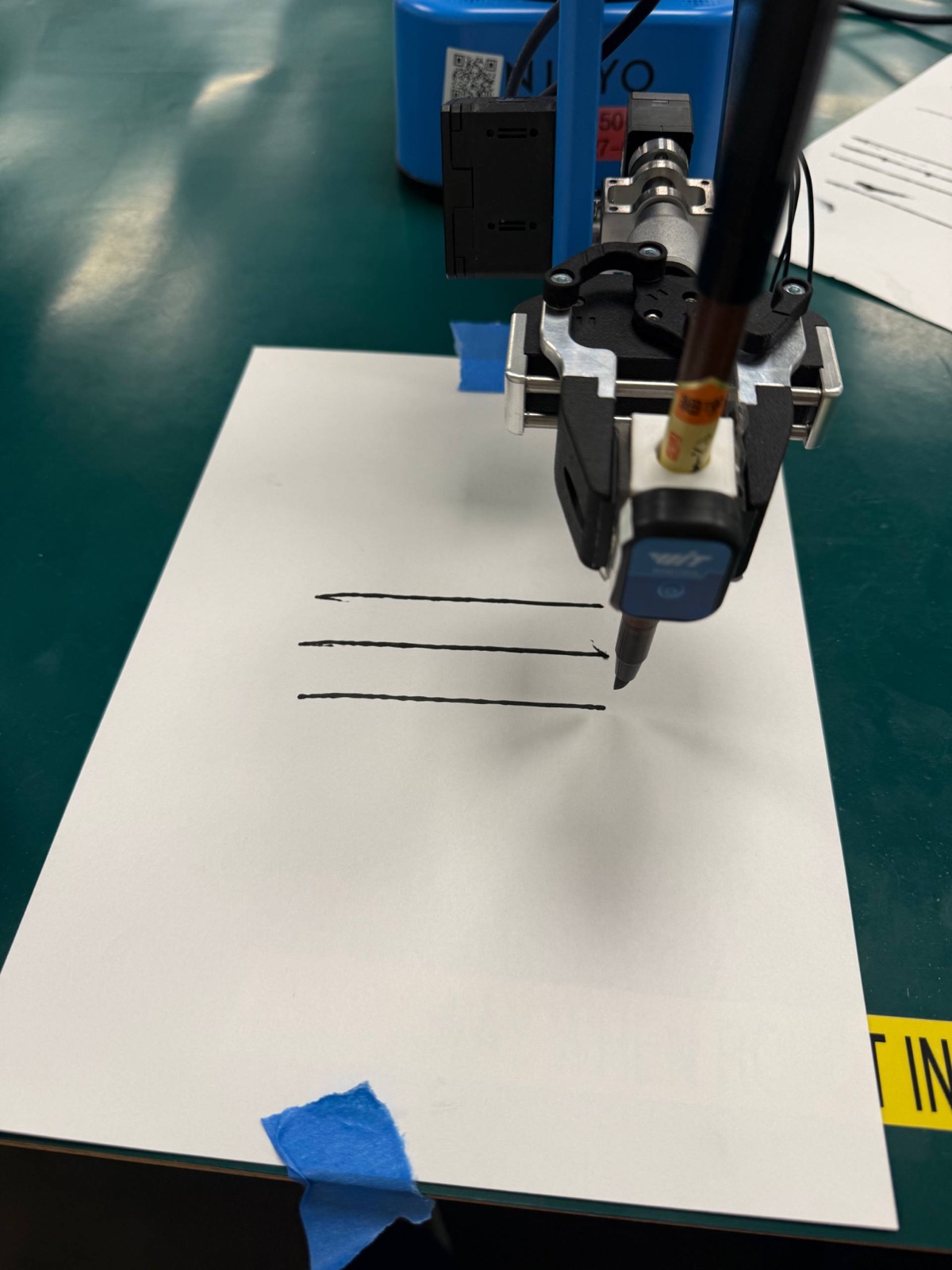
Straight lines
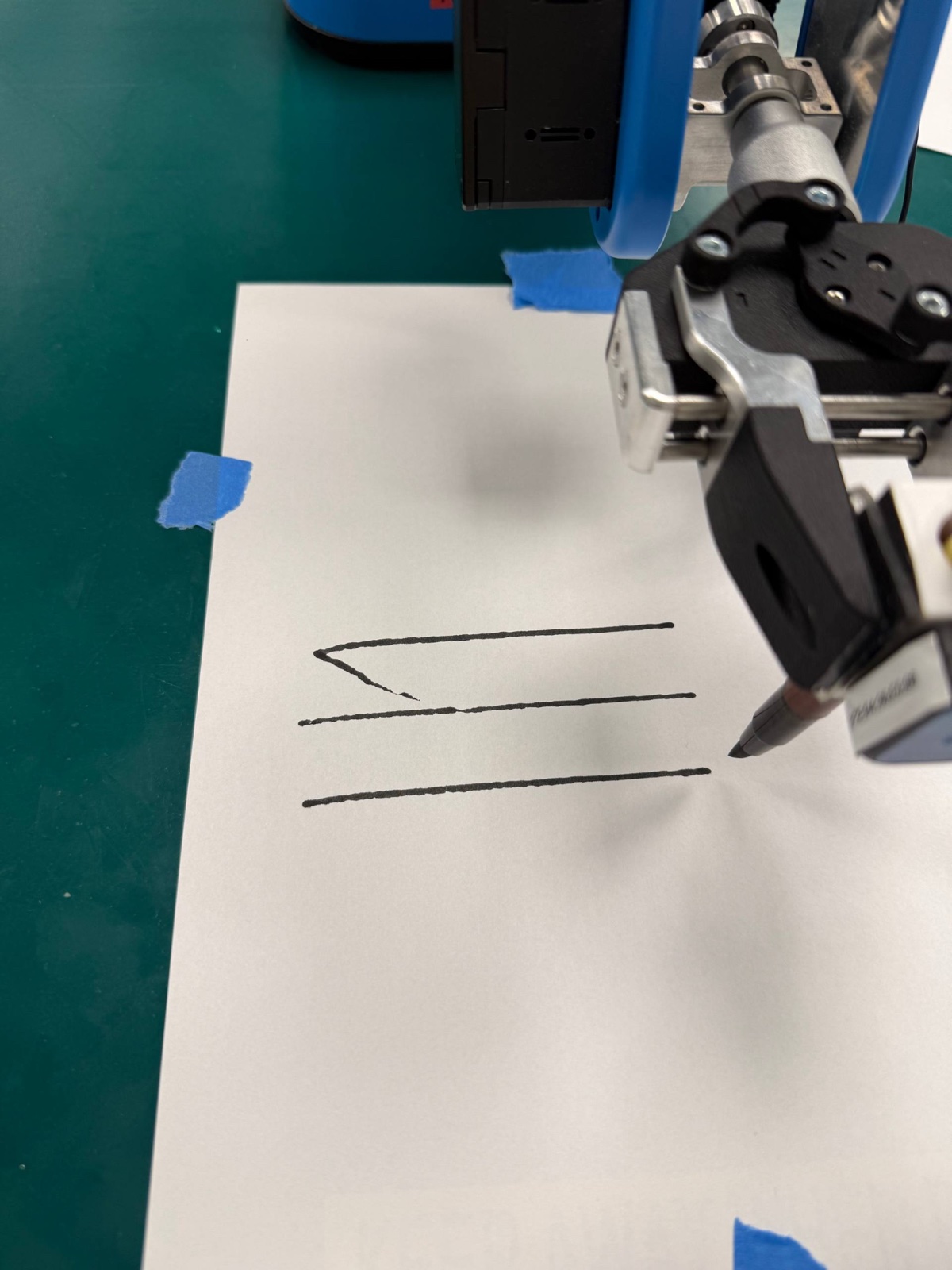
We drew single lines at 100% and 20% speed, with 0, 1 and 3 intermediate waypoints along the way. They all came out straight and continuous, and the waypoints made no visible difference. That makes sense for short, simple paths. Some lines had a slight bend at the very start, probably from the marker’s flexible tip bending as it first touched the paper.
Slower wasn’t better, either. At 20% speed, the arm actually looked a bit shakier, likely from stiction: at low speeds, the joints stick and slip instead of moving smoothly.
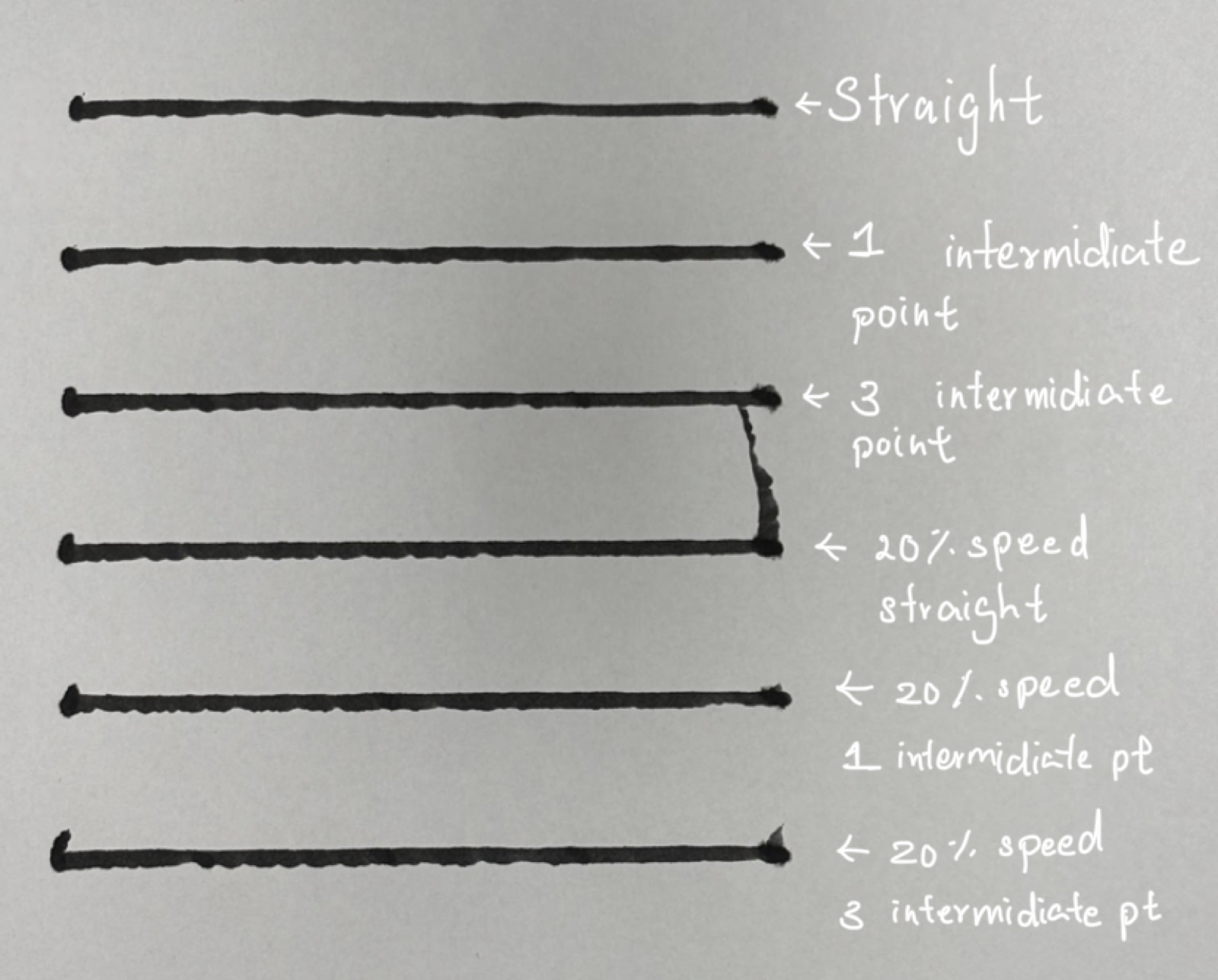
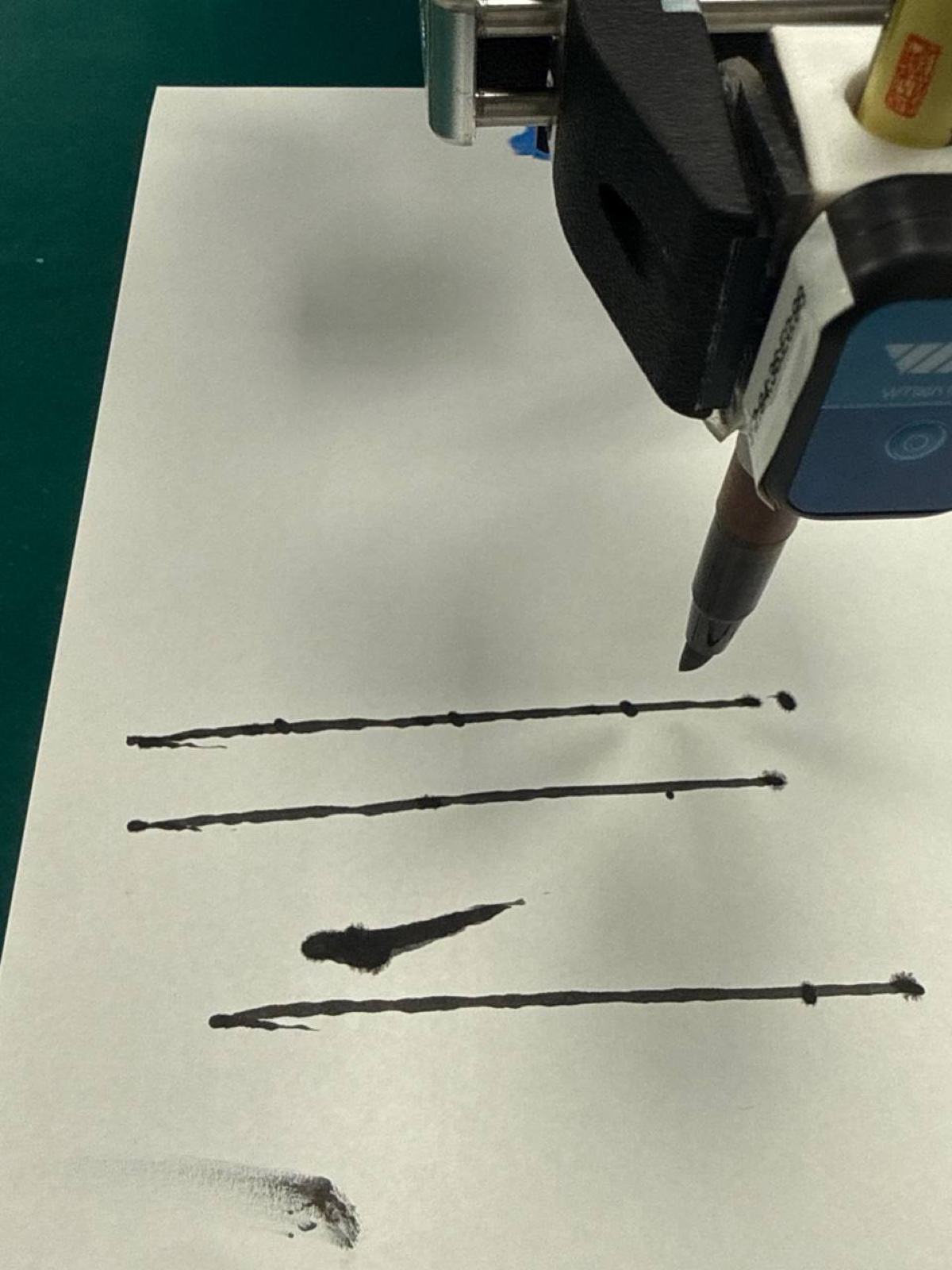
When we had the arm mark five dots along a line it had already drawn, they landed on the line but shifted slightly to the right: the first dot fell after the line’s start, and the last one past its end.
Parallel lines
Three parallel lines at each speed also came out straight, with lengths within about 2% of each other. The 20% lines varied slightly more, but the difference is too small to mean much.
Circles
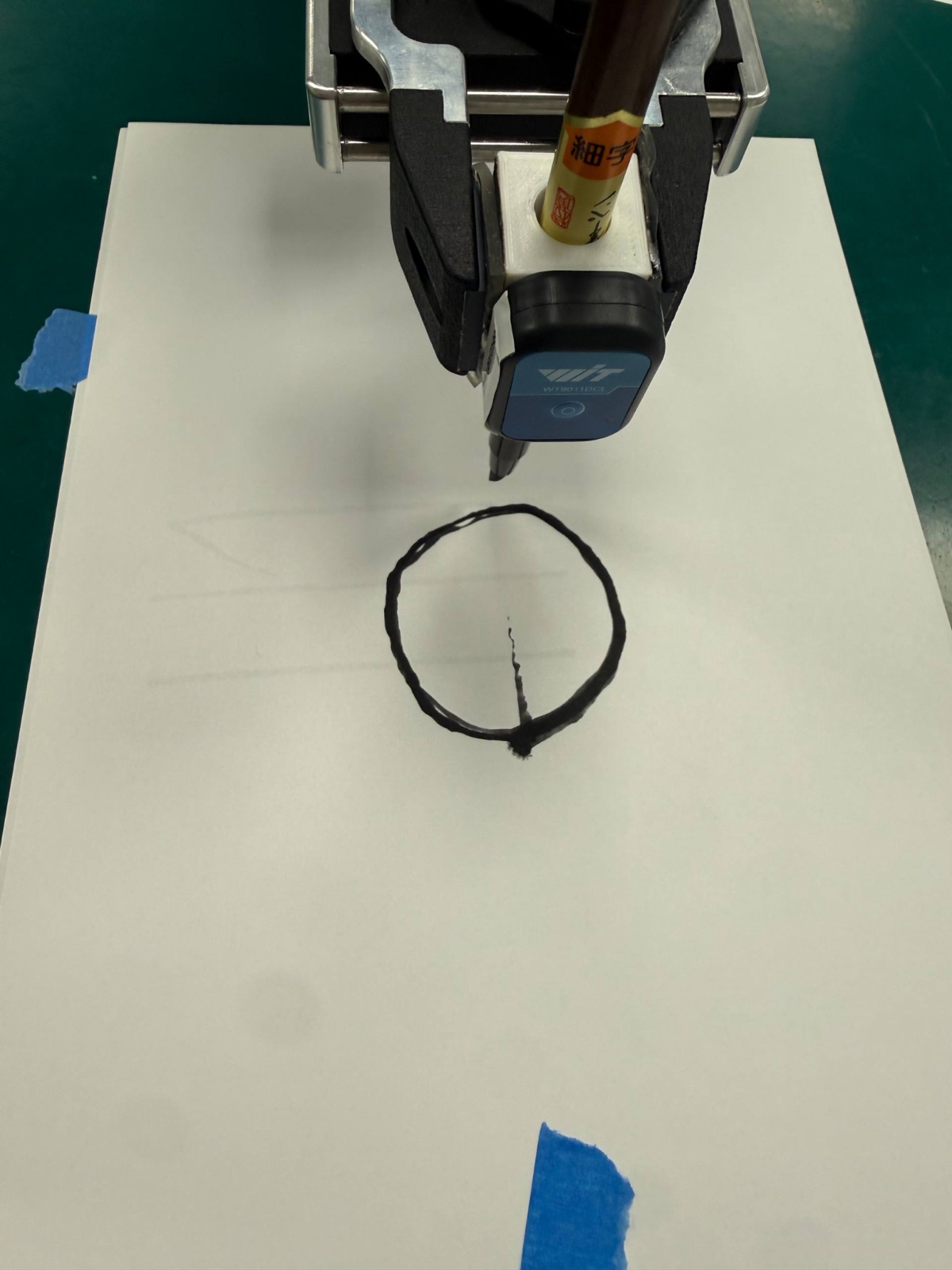
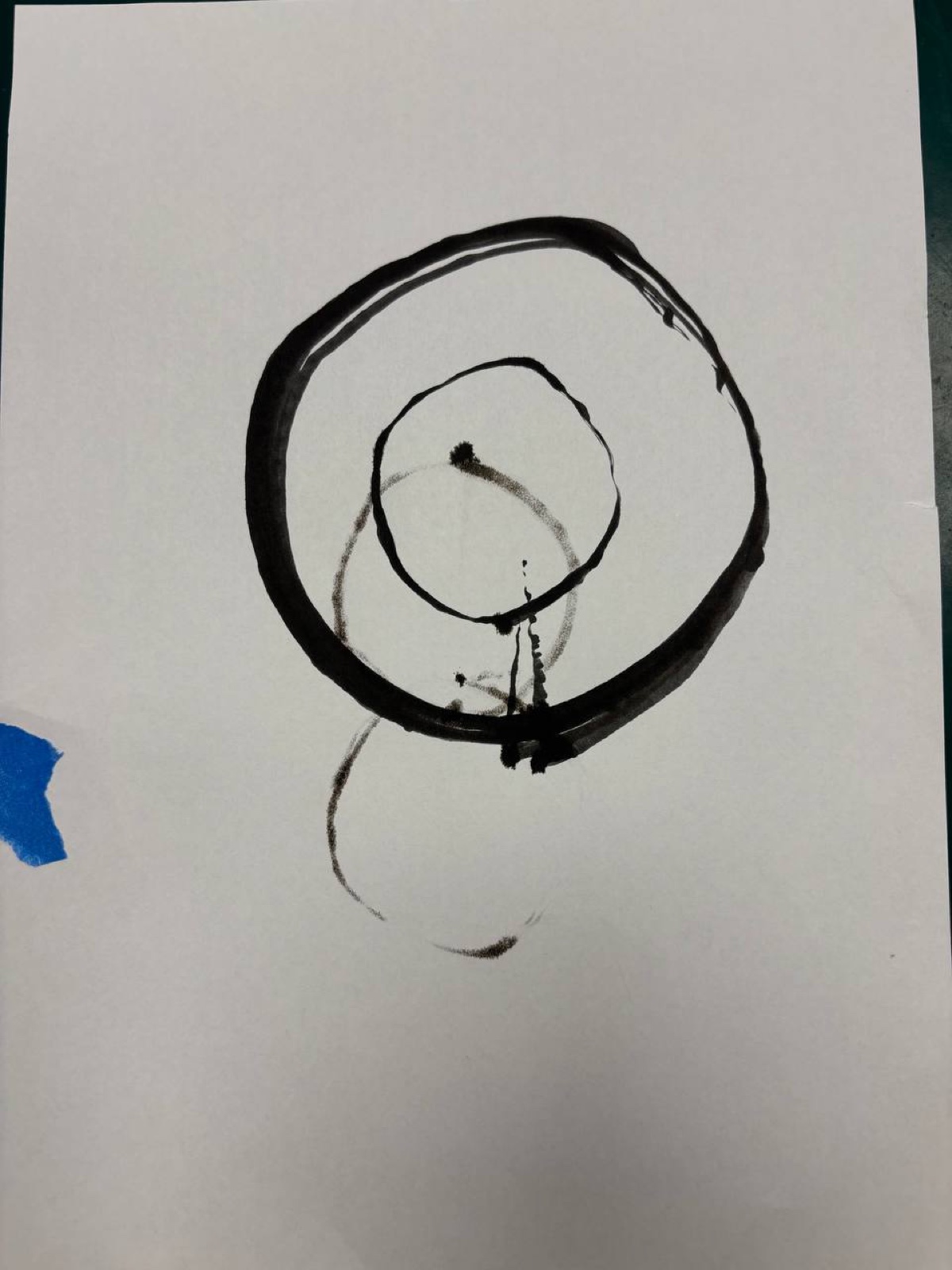
Circles were more revealing. We drew one with a 30 mm radius and one with 60 mm, and measured each at its widest and narrowest.
| Radius (mm) | Measured max, min (mm) | Undersized by | Max ÷ min diameter | Worst deviation (mm) |
|---|---|---|---|---|
| 30 | 30, 27.5 | 4.2% | 1.09 | 2.5 |
| 60 | 58.5, 56 | 4.6% | 1.04 | 4.0 |
Both circles came out about 4–5% too small. A consistent percentage like that points to something proportional, like the tool offset or a scale error, rather than a fixed offset. The small circle was more oval, probably because fixed imperfections like backlash and stiction are a bigger share of a small radius. The big circle had a larger absolute error, which fits with it moving faster. Both were visibly faceted, since the controller approximates a circle with short straight segments.
What the accelerometer said
We also logged an accelerometer on the arm while it drew circles. Timing each loop gave the speed: about 0.079 m/s for the small circle and 0.110 m/s for the big one. Both had very consistent loop times, varying by less than 1%. Interestingly, both were set to the same 100% speed, yet the bigger circle moved about 40% faster. The speed setting is a percentage of the robot’s maximum, not an actual drawing speed, so the path shape changes how fast it really goes.
In theory, the acceleration should be a clean, steady wave of about 0.2 m/s² for both circles. The measured waves were the right shape and timing, but much bigger than predicted: about 16–55% too large for the small circle, and 106–149% for the big one. The big one was also messier, with a stronger jolt at the start.
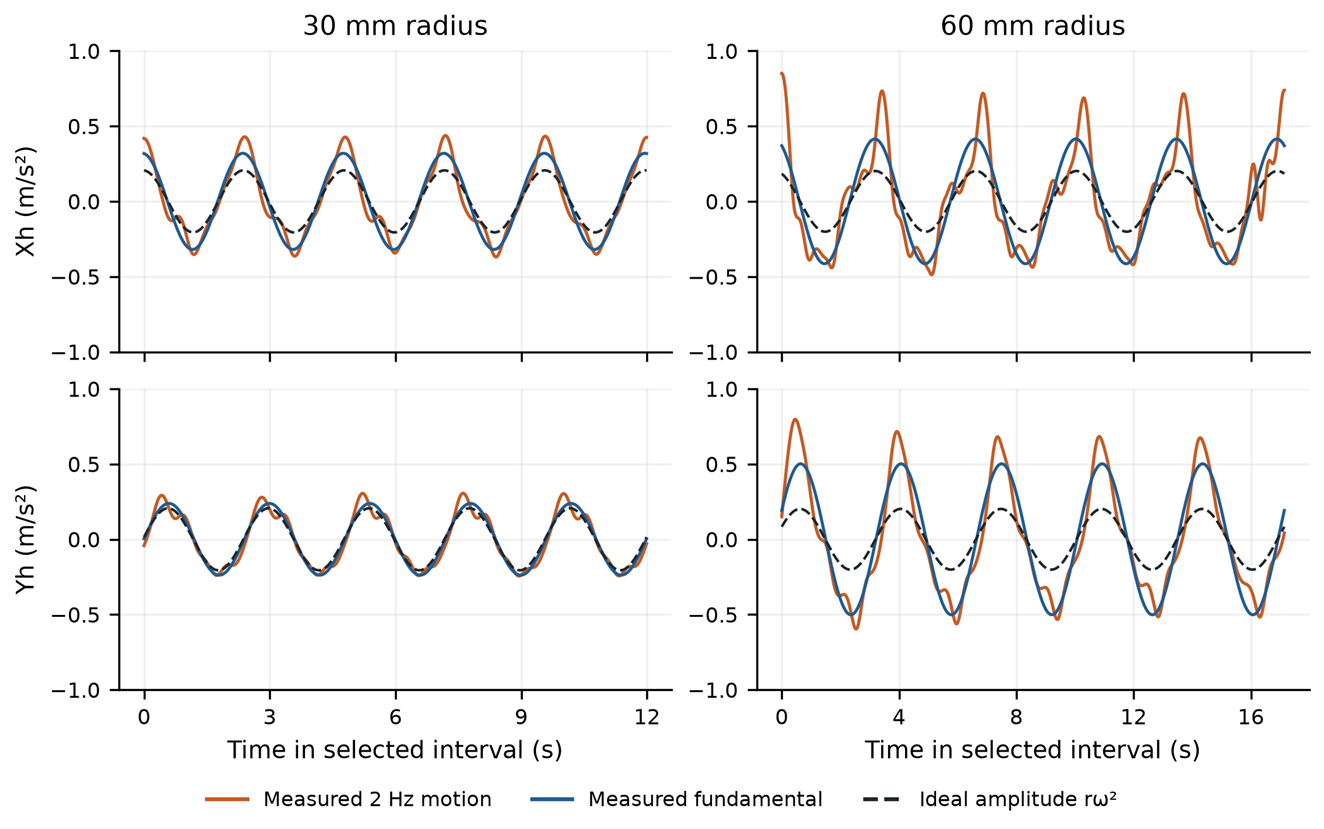
A big reason is gravity. If the sensor tilts by even 1°, gravity adds about 0.17 m/s² to the reading, which is as big as the motion we were trying to measure. On top of that, speed changes within each loop, vibration and pen friction all add extra acceleration. Along the way, we also found and fixed a few bugs in the supplied analysis script, like using the wrong radius for one of the recordings.
What I took away
The first lab was satisfying: a page of matrices that actually predicts where a real robot’s hand ends up, to within a centimetre or so. The best part was noticing that the errors had a pattern, and that the pattern pointed to the cause.
The drawing lab showed the gap between the maths and the machine. A few things stuck with me:
- Systematic errors can be calibrated away; random ones can’t. Both the FK errors and the undersized circles were consistent, which means calibration could fix them.
- Slower isn’t automatically more accurate. Too fast causes tracking errors and vibration, but too slow causes stick-slip.
- Repeatable isn’t the same as accurate. The arm repeated its loops very consistently but still drew the wrong size. That’s fine for repetitive tasks, but not for hitting a precise point once.